

In the fast-paced world of enterprise mobility, the only constant is change. Acronis Cyber Files and Acronis Files Connect reached End of Life (EOL) on December 31, 2025, with extended support — the last window for security patches — ending December 31, 2026.
For many IT leaders, end-of-life announcements act as a forced checkpoint, a moment to pause and evaluate the tools currently in place.
If your organization relies on on-premises file access for mobile users, the landscape has just shifted. The question is no longer just “how do we replace this tool?” but “how can we do it better?”
The Challenge of Legacy Access
For years, solutions like Acronis Cyber Files bridged the gap between mobile devices and on-premises SMB/CIFS file shares. However, like many tools of its era, it often required dedicated servers and additional infrastructure to function.
As you plan for the post-2026 landscape, replacing a server-based solution with another server-based solution feels like a step backward. Modern IT strategies favor “infrastructure-light” approaches, solutions that leverage what you already have rather than asking you to build more.
Enter Hypergate Files: The “Drop-In” Evolution
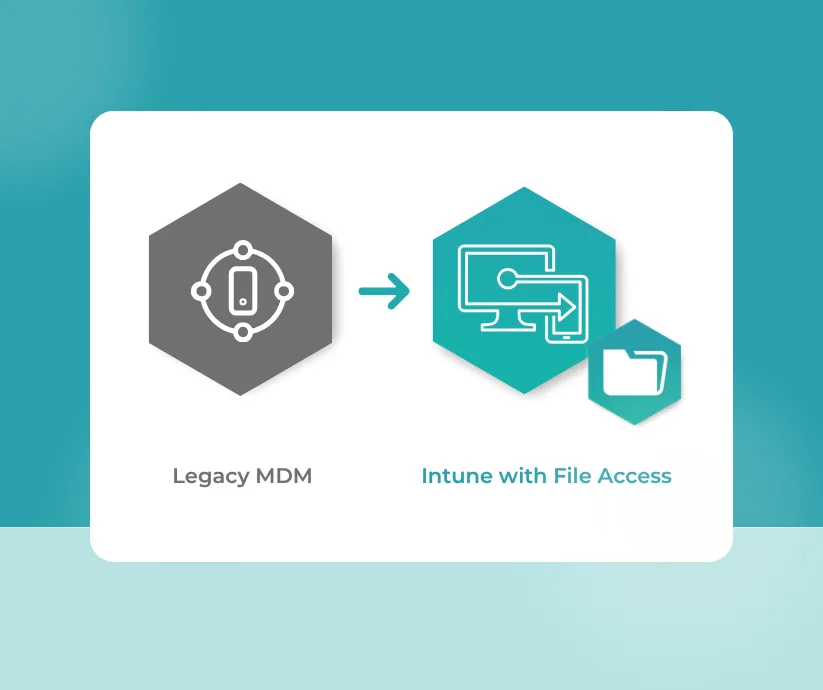
Hypergate Files offers a streamlined path forward. It is designed to be a drop-in replacement for the functionality of Acronis Cyber Files, but with a radically different architectural approach.
Where legacy solutions required proprietary gateways and dedicated servers, Hypergate Files is a client-only solution, allowing your mobile device to securely leverage the same infrastructure your workstations use.
Here is why this difference matters for your migration strategy:
- Zero Infrastructure Required Hypergate Files connects your mobile devices directly to your existing on-premises file servers using standard SMB2/SMB3 protocols. There is no need to spin up a new server to replace the retiring Acronis server. You simply deploy the app and it connects to the infrastructure you already own.
- A Seamless “Drop-In” Experience Migration projects are often feared for their complexity. Because Hypergate Files doesn’t require backend re-configuration, the switch is incredibly smooth. It essentially “drops in” to your existing environment, instantly granting mobile users secure access to their home drives and team shares without the heavy lift of a server migration.
- Native User Experience User adoption is the make-or-break metric for any new tool. Hypergate Files provides a native file explorer experience on Android devices. Users can open, edit, and save documents directly in their native apps (like Microsoft Word or Adobe Reader) without complex workarounds. It works the way they expect a file system to work.
- Future-Proof and EMM Independent Whether you are currently using Microsoft Intune or planning a migration to it, Hypergate Files is completely EMM-agnostic. It closes the gap for Intune users who need on-prem access, ensuring that your file access strategy remains robust even if your management platform changes.
Turning a Sunset into a Sunrise
The sunsetting of Acronis Cyber Files is undeniably a disruption, but it is also a chance to shed technical debt. By moving to Hypergate Files, you aren’t just replacing a tool; you are reducing technical debt and simplifying your architecture.
You get the same secure, on-prem access your users rely on, but without the server maintenance, gateway patching, or infrastructure costs.
Ready to simplify your mobile file access? Discover how Hypergate Files can serve as your seamless, infrastructure-free replacement for Acronis Cyber Files.